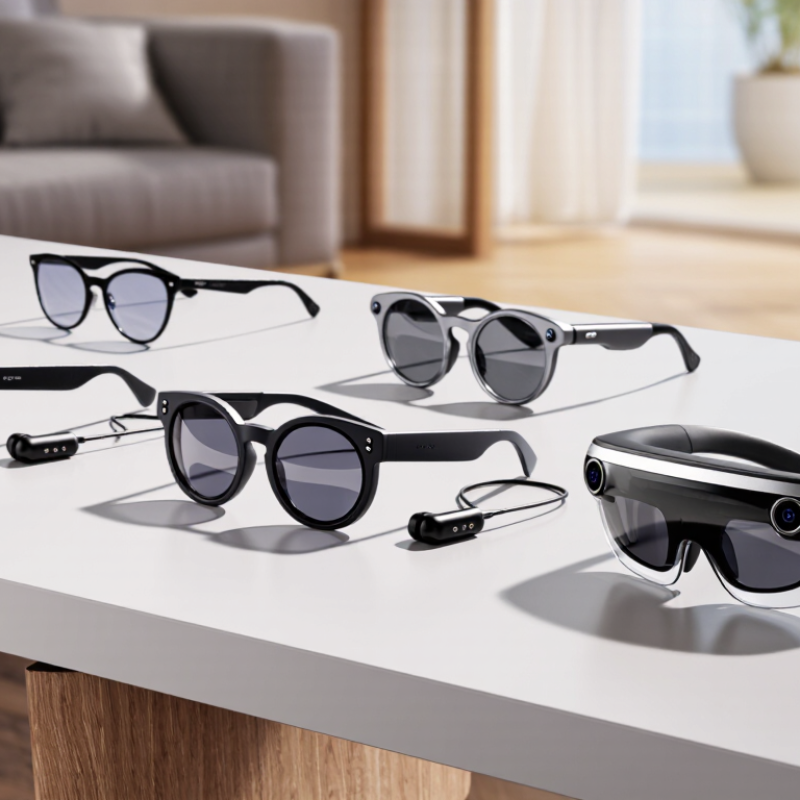
| Audio-first AI glasses | No in-lens visual display; voice commands, microphones, and open-ear speakers are common. | Calls, voice assistance, audio directions, and listening while staying aware of nearby sounds. | Usually the simplest style to wear throughout the day; hands-free audio without an on-screen interface. | Cannot show visual answers or navigation prompts in the wearer’s field of view. Speaker sound may be audible to people nearby. | Microphone quality, call controls, comfort, prescription-lens options, water resistance, and battery life at the intended volume. |
| Camera-and-audio AI glasses | Usually no display; may combine a built-in camera, microphones, speakers, and voice-based AI features. | First-person photos or video, hands-free capture, translation, and voice assistance where supported. | Can capture a point-of-view perspective without holding a phone; audio and camera functions are integrated into the frame. | Camera use raises privacy considerations; recording duration, image quality, and AI features vary by model and software. | Camera resolution and video limits, visible recording indicators, storage and transfer method, privacy controls, and local AI-language support. |
| Monocular display glasses | A small display presents information to one eye; controls may include voice, touch, or a connected device. | Brief notifications, turn-by-turn directions, captions, and glanceable work instructions. | Can provide visual information without covering both eyes; often more compact than immersive display systems. | Display area is limited, and extended reading may be less comfortable than using a phone. Visibility can vary with lighting and fit. | Text legibility, display brightness, eye placement, supported apps, prescription compatibility, and whether a phone or other device is required. |
| Binocular augmented-reality glasses | Displays imagery to both eyes, often with depth effects; some systems use a separate compute unit or connected host device. | Spatial visualization, immersive media, guided tasks, and applications that benefit from a wider visual field. | Can support more immersive and spatial content than audio-only or small monocular-display designs. | Typically involves more hardware and power demands; field of view, comfort, weight, and outdoor visibility vary substantially. | Field of view, refresh rate, weight distribution, device compatibility, heat, battery arrangement, and whether the display is transparent or video-based. |
| Industrial and assisted-work glasses | Often use a compact monocular display with voice control, a camera, or remote-assistance features. | Hands-free checklists, remote expert support, equipment inspection, and step-by-step work guidance. | Designed around task visibility and hands-free operation; some models support protective eyewear accessories or workplace software. | May prioritize durability and task functions over style, entertainment, or broad consumer-app support. | Safety certifications, fit with required protective equipment, workplace-system compatibility, cleanability, service support, and runtime for a full shift. |