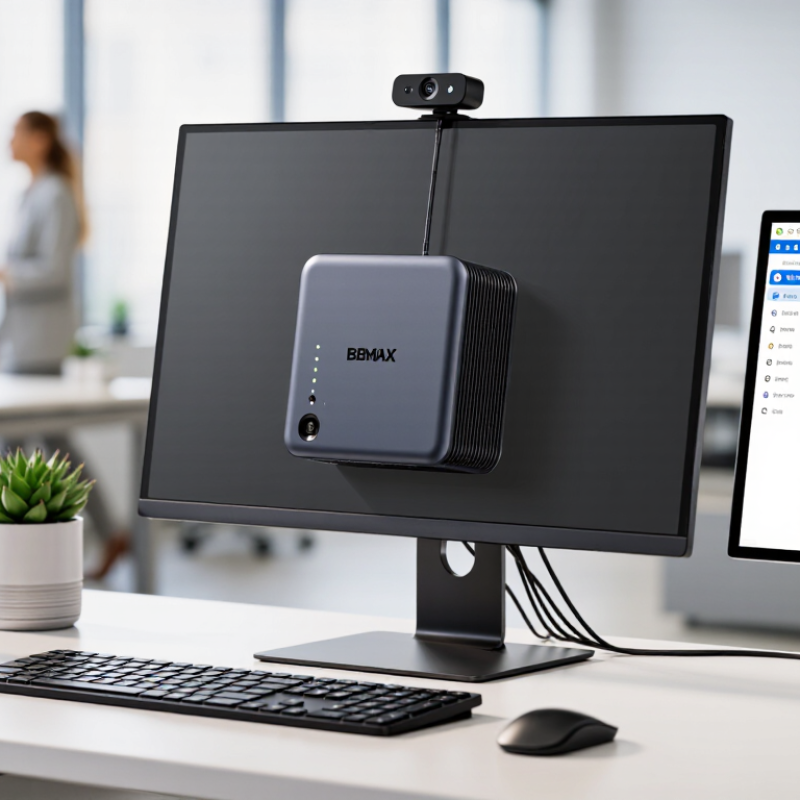
| Office productivity | Email, web-based applications, document editing, spreadsheets, and video meetings. | Choose a current processor, sufficient memory for the applications used, and solid-state storage. Dual-display support may be useful for desk-based work. | Small footprint helps keep desks uncluttered; standard peripherals can usually be connected over USB, display, and network ports. | Confirm operating-system and application requirements, display connections, wireless needs, and support for any security policies. |
| Reception and front-desk stations | Appointment scheduling, customer check-in, web portals, printing, and point-of-sale peripherals. | Prioritize reliable wired or wireless networking, the required display outputs, and enough ports for scanners, printers, and other devices. | Can fit behind a monitor or in a compact counter area, where supported by the mounting design and installation environment. | Check peripheral compatibility, physical access for maintenance, cable routing, and whether the system can run continuously if required. |
| Digital signage | Displaying menus, notices, dashboards, presentations, or scheduled media on one or more screens. | Verify the supported display resolution, refresh rate, number of screens, video-decoding needs, and connectivity required by the signage software. | Compact systems can be placed near a display or in a media cabinet and may simplify installations where space is limited. | Assess ventilation, access to power and network connections, content-management needs, and the system’s suitability for the intended operating schedule. |
| Small business server or shared service | Local file sharing, lightweight internal tools, device management, or test environments. | Plan memory and storage around the software and user load. Consider storage redundancy, backup capacity, and wired networking where appropriate. | A compact form factor can work in a small office with limited equipment space. | A mini PC is not automatically a substitute for a dedicated server. Check workload, uptime, remote management, backup, security, and support requirements. |
| Training room or shared workspace | Web-based learning, presentations, office applications, and video conferencing. | Match memory and processor capability to the number and type of applications used; check compatibility with room displays, cameras, and audio devices. | Compact hardware can be easier to position in shared rooms and may be reused across different work areas. | Test conferencing equipment, wireless coverage, user sign-in procedures, and device-management policies before rollout. |
| Multi-location business deployment | Standardized employee workstations across branches, kiosks, or satellite offices. | Define a consistent specification for memory, storage, operating system, networking, and required ports before purchasing at scale. | Smaller systems can simplify shipping and placement compared with full-size desktop towers. | Confirm warranty coverage, replacement procedures, inventory tracking, security settings, and local network requirements for each site. |