| Ambient temperature | Ranges vary by model. Industrial systems commonly specify a range such as 0–50°C; extended-temperature models may support lower or higher limits. | Check the individual system specification. Allow for heat from nearby equipment and avoid installing the PC in an unventilated enclosure without thermal assessment. |
| Humidity | Many systems specify non-condensing relative humidity, often within a range such as 10–90%. | Prevent condensation during rapid temperature changes. Use appropriate environmental protection where moisture or washdown is present. |
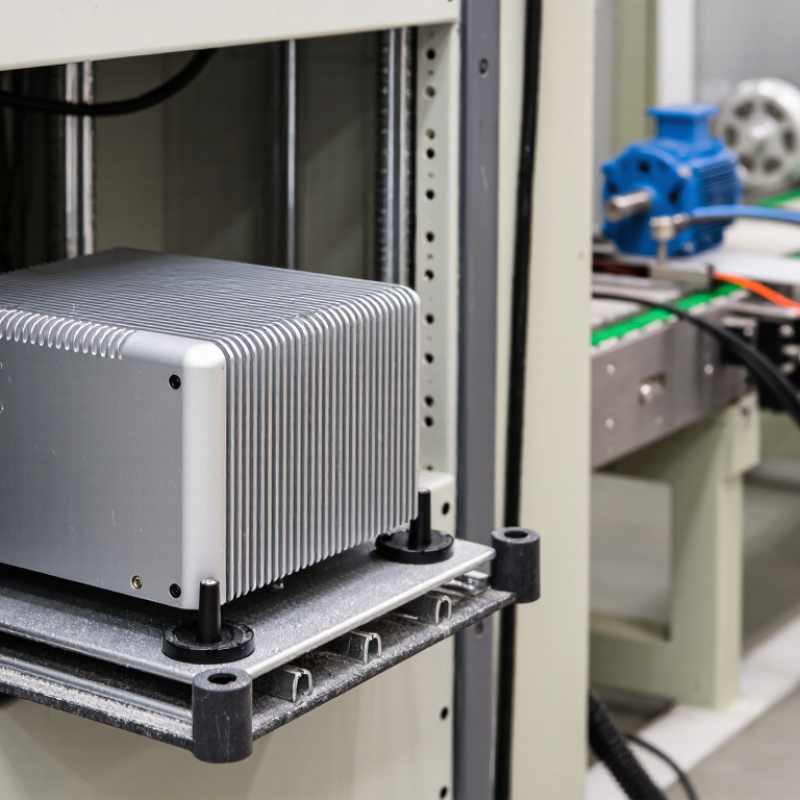
| Thermal load and airflow | The processor and other components dissipate heat through the chassis or heatsink; sustained high workloads can raise internal temperatures. | Keep heatsink surfaces unobstructed and follow specified clearances. Monitor temperatures under the actual workload, especially in hot environments. |
| Dust and contamination | Fanless designs avoid fan-driven intake, but dust can still collect on external cooling surfaces and connectors. Enclosure protection varies by model. | Inspect and clean cooling surfaces as needed. Do not assume a fanless PC is sealed or suitable for corrosive, oily, or washdown environments without a suitable ingress rating. |
| Vibration and shock | Allowable levels depend on the system, storage device, mounting method, and test conditions. | Review the specified vibration and shock test data for the intended installation. Secure cables and use the approved mounting method. |
| Mounting and clearance | Permitted orientations and required clearances are model-specific; some chassis use their mounting surface as part of the heat-dissipation path. | Follow the installation guide. Keep cooling surfaces clear and avoid mounting against materials that prevent heat transfer unless specified. |
| Routine inspection | No cooling fan means there is no fan bearing or fan filter to replace, but other components and connections still require attention. | At scheduled maintenance intervals, check for dust buildup, loose cables, corrosion, unusual heat, and signs of enclosure damage. |
| Cleaning | Cleaning methods must be compatible with the enclosure, connectors, and site safety procedures. | Power down when required by the maintenance procedure. Use a soft brush or approved low-pressure method; avoid liquids and high-pressure air unless the manufacturer permits them. |
| Internal service | Thermal pads, heatsinks, storage, and other internal parts are service-dependent; opening the chassis may affect protection or warranty terms. | Do not replace thermal materials or open a sealed enclosure as routine cleaning. Follow the service manual and use qualified personnel where required. |
| Specification check | Temperature, humidity, ingress protection, power input, and environmental test limits differ between models. | Confirm all limits in the exact model’s datasheet and installation documentation before deployment; the ranges above are general guidance, not universal ratings. |